


Are you worried about the safety of your home but don’t know where to start? Many homeowners feel overwhelmed by the endless options for home security solutions, from wired alarms to smart devices. Choosing the right system can feel confusing, and traditional setups often require professional installation and invasive wiring. This is where wireless security cameras for home come in.
They offer flexible installation, remote monitoring, and seamless integration with wireless home automation systems. In this guide, you’ll learn how to select, install, and maximize these cameras for complete peace of mind without stress or technical headaches.
Why Wireless Security Cameras Are a Game-Changer for Home Safety
Before diving into specific models, it helps to understand why wireless cameras are reshaping home security. Unlike traditional systems, these devices offer flexibility and accessibility for every homeowner.
Wireless cameras eliminate the hassle of running cables, allowing you to place them anywhere in your home or yard. Integration with mobile apps means you can monitor your property in real time, receive alerts, and even communicate with visitors remotely. These features make it easier to combine security with wireless home automation, giving you control over locks, lighting, and sensors from a single platform.
Beyond convenience, wireless cameras enhance safety with features like motion detection, night vision, and cloud storage. Homeowners no longer have to worry about missed events or complicated setups. By choosing the right system, you can protect your family and property while maintaining simplicity and flexibility.
Key Features to Look for in Wireless Security Cameras for Home
Resolution and Video Quality
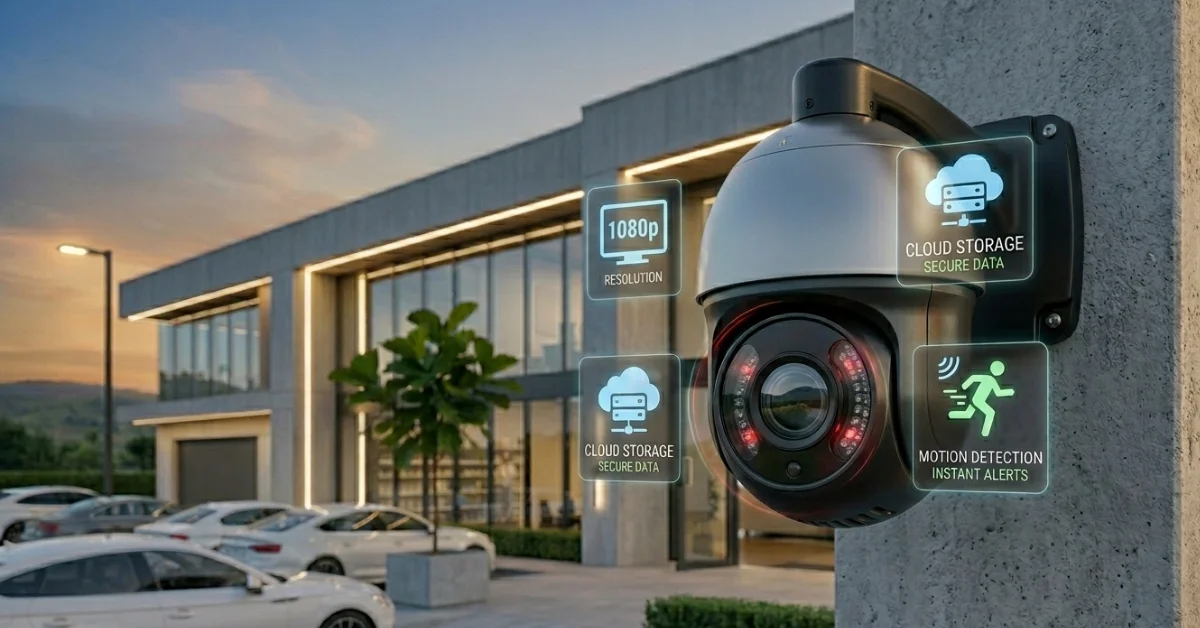
A high-resolution camera ensures every detail is captured clearly. Look for 1080p or higher resolution for sharp video footage. Clear video helps you identify faces, license plates, and other critical details during an incident. Investing in a high-resolution system now can prevent confusion or missed evidence later.
Night Vision Capability
Infrared night vision allows your cameras to record even in complete darkness, ensuring round-the-clock protection. Night vision is essential for deterring intruders and capturing any unusual activity after sunset. Modern cameras use advanced IR sensors to provide clear footage without disturbing the home’s lighting environment.
Motion Detection Alerts
Smart motion sensors send instant notifications to your phone, helping you respond quickly to unusual activity. This feature prevents false alarms by distinguishing between humans, animals, and objects. You can adjust sensitivity and alert zones to suit your property, giving you a customized monitoring experience.
Cloud Storage and Remote Access
Cloud storage protects your video even if the camera is damaged or stolen, and remote access ensures monitoring from anywhere. Most providers offer subscription plans that archive footage securely for easy retrieval. This feature adds an extra layer of security and peace of mind.
Weatherproof Design
Outdoor cameras should be weather-resistant to withstand rain, wind, and extreme temperatures. Look for devices with IP65 or IP66 ratings for durability. A reliable weatherproof camera ensures uninterrupted protection year-round.
Integration with Home Automation
Seamless integration with wireless home automation lets you control lights, locks, and sensors through the same platform. Cameras connected to a home automation hub can trigger alerts or actions automatically. This creates a smarter and more responsive security system.
Placement Strategies for Maximum Security Coverage
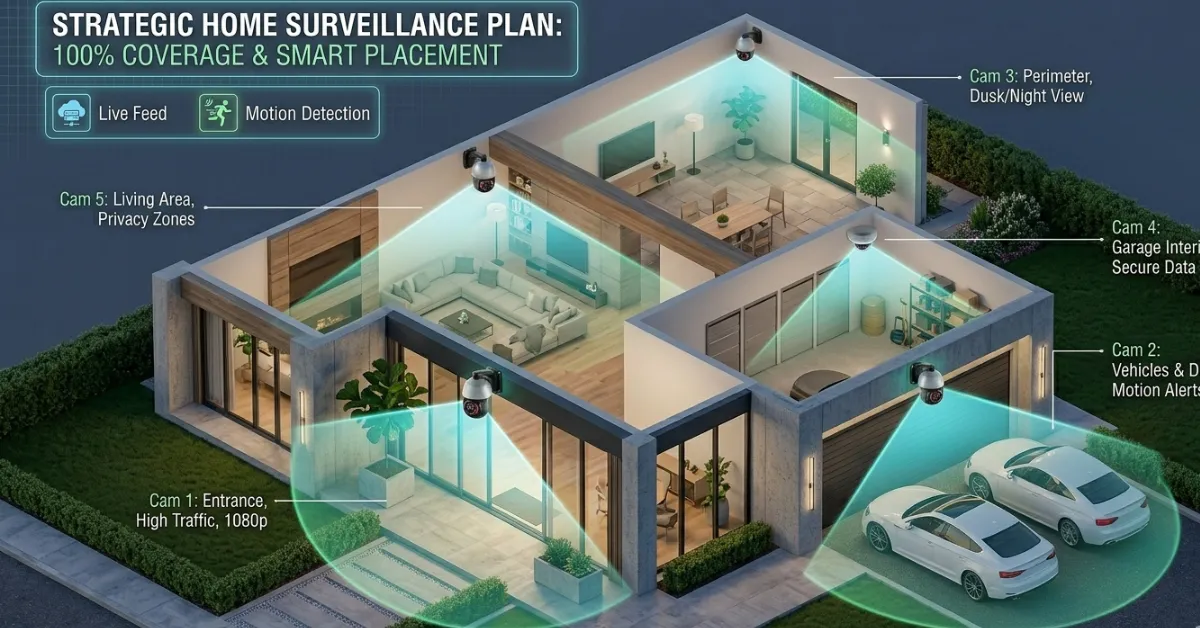
- Front and Back Entrances: Prioritize doors and main access points. Cameras here deter intruders and capture clear footage of anyone approaching.
- Garage and Driveway: Protect vehicles and tools with cameras that cover driveways and garage doors.
- Common Areas Inside: Motion-sensitive indoor cameras monitor high-traffic areas like living rooms and hallways.
- Hidden but Strategic Corners: Use discreet cameras for areas prone to theft, such as home offices or storage rooms.
- Overlap Coverage: Ensure outdoor cameras have overlapping views to prevent blind spots, enhancing overall protection.
Proper placement enhances your home security services by combining deterrence with practical monitoring.
Benefits of Wireless Security Cameras for Home
Flexibility and Easy Installation
Wireless cameras don’t require drilling or extensive wiring. You can mount them on walls, ceilings, or even move them temporarily as needed. This flexibility is ideal for renters or homeowners who want temporary coverage. With minimal setup, you can secure your home quickly without professional help.

Remote Monitoring and Alerts
With mobile apps, you can check live feeds, receive motion alerts, and even interact with visitors remotely. Real-time notifications give you immediate awareness of any activity. This convenience enhances peace of mind, especially when paired with other home security solutions like smart locks or alarms.
Cost-Effective and Scalable
Adding cameras is simple and doesn’t require expensive rewiring. Start small and expand over time without disrupting your existing setup. This approach allows homeowners to invest gradually while still maintaining strong security coverage.
Integration With Home Automation
Linking cameras with smart lighting, sensors, and voice assistants creates a unified wireless home automation ecosystem. Automated routines, like turning lights on when motion is detected, make your home safer and more efficient. Integration ensures your security system works seamlessly with daily life.
Peace of Mind
Knowing that your home is monitored 24/7 reduces stress and allows families to focus on daily life. Cameras provide a sense of security even when you are away. Continuous monitoring ensures that any suspicious activity is noticed and addressed promptly.
Common Wireless Security Camera Types
Indoor Cameras
Ideal for monitoring common spaces, these cameras are typically compact and easy to install. They include two-way audio, motion detection, and night vision. Indoor cameras provide discreet coverage for living rooms, hallways, and entry points.
Outdoor Cameras
Designed to withstand weather and tampering, outdoor cameras provide high-resolution video of entrances, driveways, and yards. Wide-angle lenses and infrared capabilities ensure no activity goes unnoticed. These cameras act as a strong deterrent while capturing critical evidence when needed.
Doorbell Cameras
Doorbell cameras act as both doorbells and video monitors, allowing you to see and speak with visitors remotely. They offer real-time alerts for deliveries or unexpected guests. This combination of convenience and security makes them a popular choice for modern homes.
PTZ Cameras (Pan-Tilt-Zoom)
PTZ cameras can rotate, tilt, and zoom to cover large areas with a single device. They track moving subjects automatically, reducing blind spots. PTZ systems are ideal for expansive properties or areas that require flexible coverage.
How to Choose the Right Wireless Security Camera System
When evaluating options, consider these factors:
- Budget vs. Features: Higher-priced cameras often include advanced features like AI detection or integrated automation.
- Number of Cameras Needed: Map your property to determine how many cameras will cover all critical points.
- Integration Capabilities: Ensure the system works with your existing smart home devices.
- Reliability and Support: Choose brands with strong customer service and warranty coverage.
Example Setup Scenario
A typical small home setup may include:
- Two outdoor cameras for entrances
- One indoor camera for the living room
- One doorbell camera for package delivery monitoring
This combination balances coverage, cost, and convenience, providing comprehensive protection while maintaining affordability and simplicity.
Installation and Maintenance Tips
Step 1: Plan Camera Placement
Sketch your home layout and identify vulnerable areas, considering line-of-sight and lighting. A well-planned placement strategy prevents blind spots and reduces false alarms.
Step 2: Mount Cameras Securely
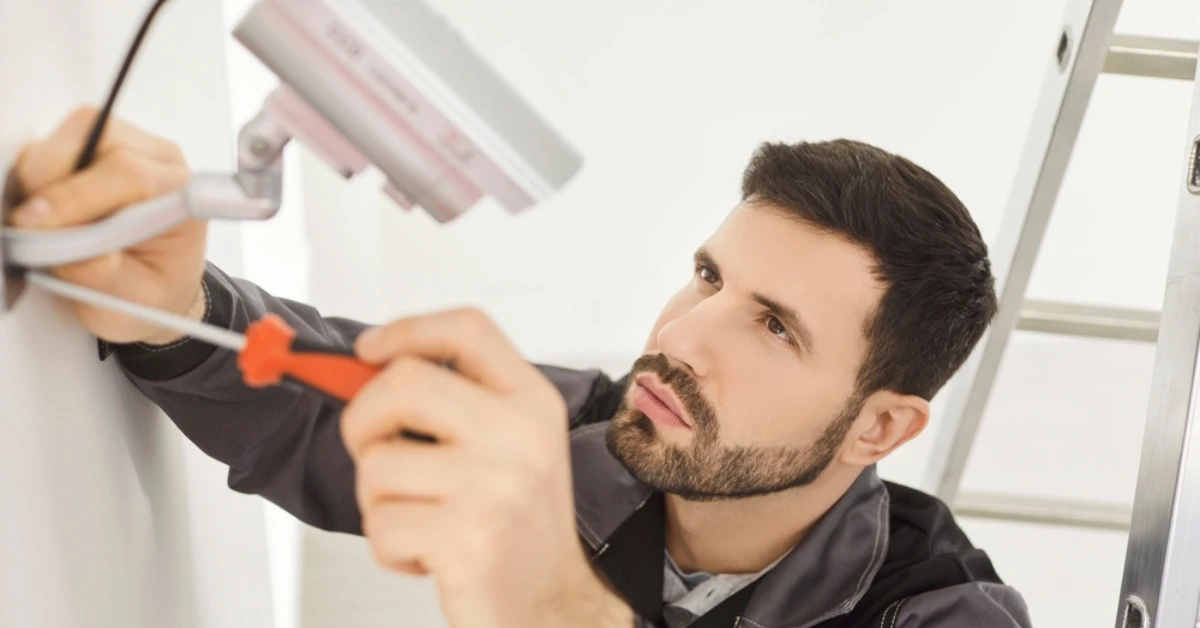
Use brackets or adhesive mounts recommended by the manufacturer, keeping cameras out of reach to prevent tampering. Proper mounting ensures the camera captures the intended areas effectively.
Step 3: Connect to Wi-Fi and App
Follow instructions to pair each camera with the mobile app, enabling live feed access and notifications. Make sure all cameras are connected to a strong Wi-Fi signal to avoid connectivity issues.
Step 4: Regularly Update Firmware
Keeping cameras updated ensures security patches and new features are active. Regular updates prevent vulnerabilities and improve system reliability.
Step 5: Test Functionality
Check night vision, motion alerts, and recording to ensure everything works as intended. Periodic testing ensures the system remains effective over time.
Final Insights
Investing in wireless security cameras for home provides peace of mind, flexible protection, and easy integration with smart home systems. From proper placement to choosing the right features, these cameras make home security accessible and effective for every homeowner. With the right setup, monitoring your home becomes effortless and reliable.
Safeguard your property and loved ones today. Explore IHR Security’s expert home security services for personalized solutions and seamless installation.
FAQs
1.What are the best wireless security cameras for home use?
Look for cameras with 1080p resolution, night vision, motion detection, and cloud storage. Brands like Arlo, Ring, and Nest are highly rated for reliability.
2.Can wireless cameras integrate with home automation?
Yes. Most modern systems link to wireless home automation platforms, allowing control of lights, locks, and sensors from a single app. Integration makes monitoring seamless and enhances home safety.
3.Are wireless cameras secure from hacking?
Using encrypted connections, strong passwords, and updated firmware significantly reduces hacking risks. Cameras from trusted brands provide ongoing security updates for protection against cyber threats.
4.How many cameras do I need for complete home coverage?
Typically, 2-4 cameras cover key entrances, driveways, and common indoor areas. Larger homes may require more for full protection, ensuring every vulnerable point is monitored effectively.
5.Do wireless security cameras work in extreme weather?
Outdoor cameras with weatherproof ratings (IP65/IP66) can withstand rain, wind, and temperature extremes. High-quality outdoor cameras maintain performance year-round, providing consistent monitoring in any climate.